Back to Suite

Fire Sprinkler Designer

A smarter way to design fire sprinkler systems. Automated, accurate, and fully NFPA-compliant within AutoCAD.

Download App (.exe)
System Status Balanced
Flow (Q) 1,250 gpm
Pressure 85.4 psi
Blueprint
NFPA 13 Compliant
The Workflow

Stop calculating by hand.
Start engineering.

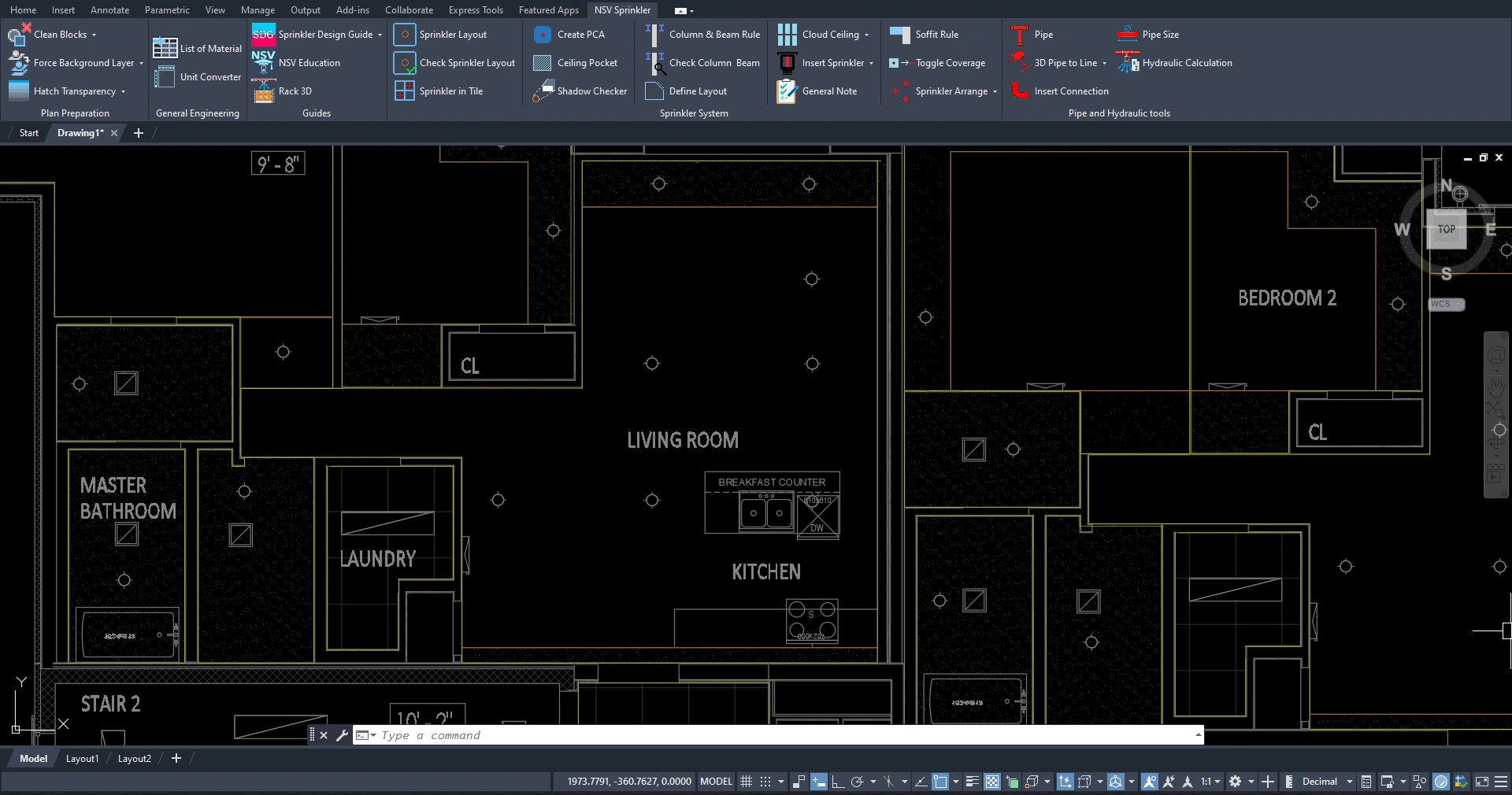
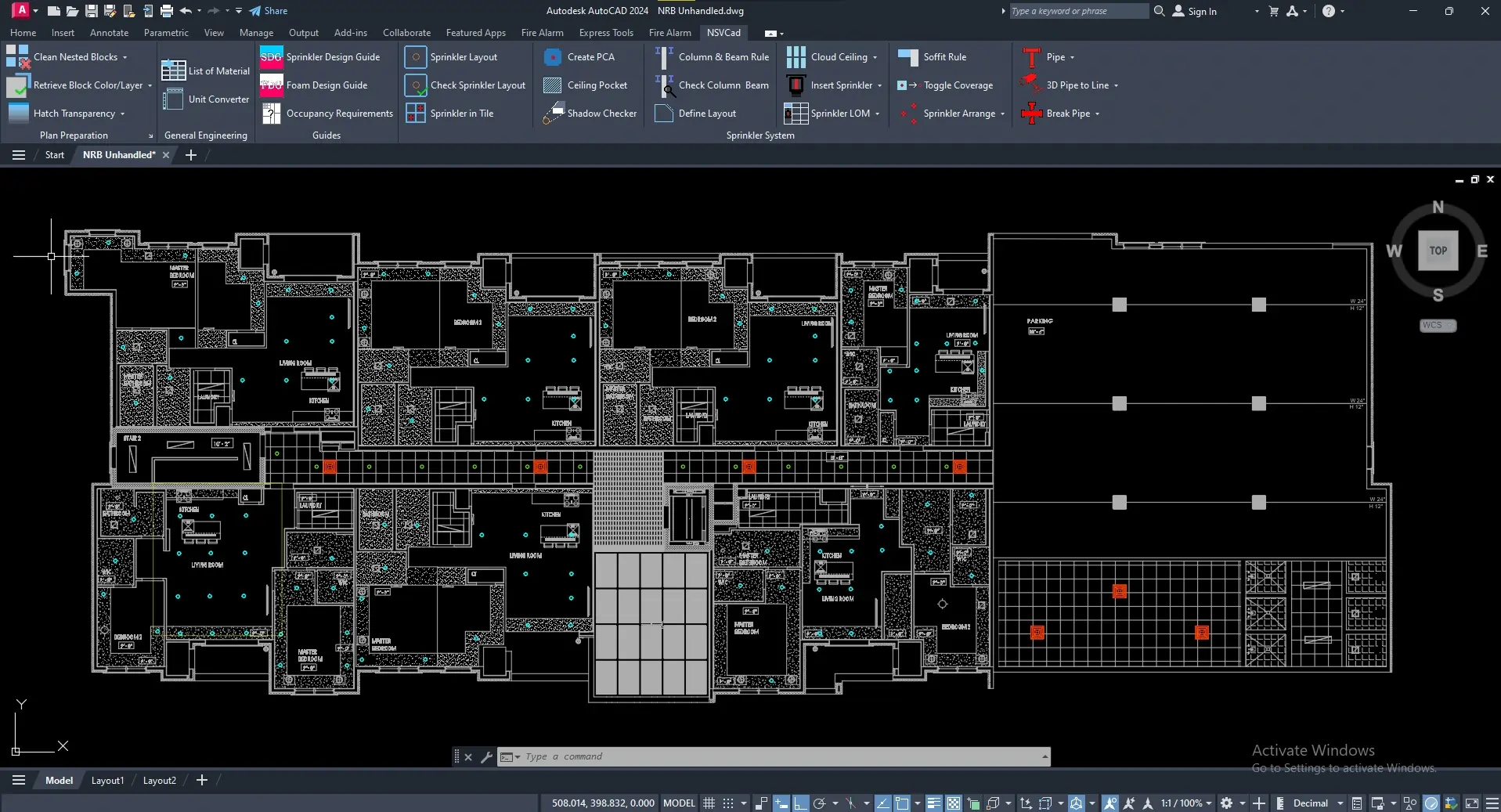
Legacy methods involve manual distance checking, shadow calculation, and code checking. Streamline your workflow with the NSVSoft Sprinkler Designer application.

  • Real-Time Compliance

    Instantly evaluate NFPA requirements and sprinkler coverage as you design.

  • Automated Hydraulic Calculations

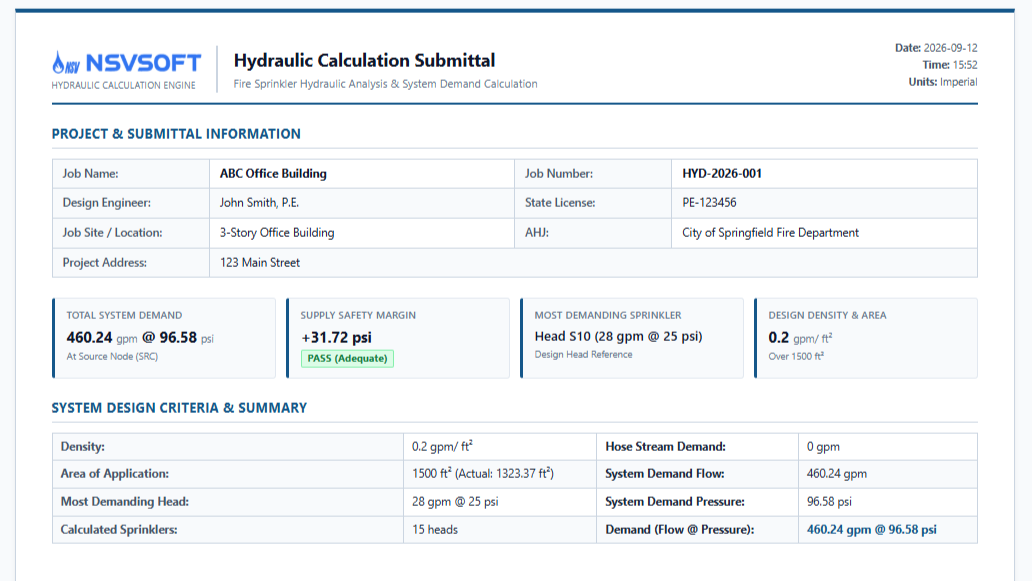
    Generate accurate hydraulic calculation reports in seconds.

  • Native AutoCAD Integration

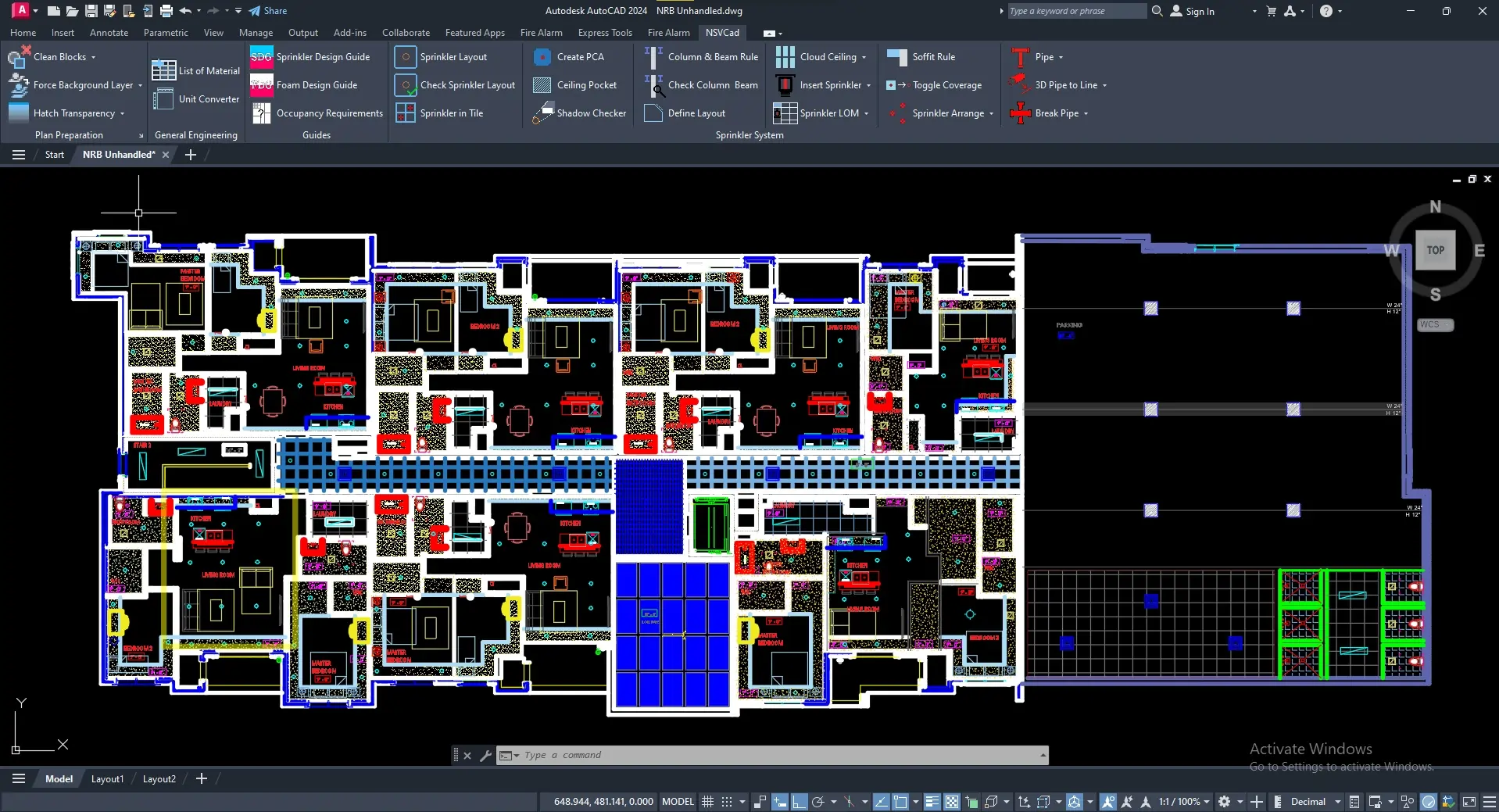
    Run everything directly inside AutoCAD, with no extra tools or workflow changes.

Video Cover

Technical Capabilities

Built for the rigorous demands of modern fire protection.

Plan Preparation

Prepare your drawing quickly and efficiently before starting the sprinkler design process. This section helps fire sprinkler designers clean up crowded plans, remove unnecessary or nested blocks, restore deleted elements when needed, and edit layers and colors across the entire drawing. It creates a clearer, more organized workspace for faster and more accurate design.

General Engineering

Access essential engineering utilities that support your overall workflow. This section can scan the drawing, count all sprinkler types and program blocks, and generate organized lists directly inside the plan. It also includes a built-in unit converter to help designers work easily with different measurement systems during design and calculation tasks.

Guides

Find important code references faster and more easily. This section includes three helpful tools that open dedicated forms, allowing designers to quickly identify where specific rules and requirements are located within relevant standards. It simplifies code navigation and saves time during the design process.

Sprinkler Layout

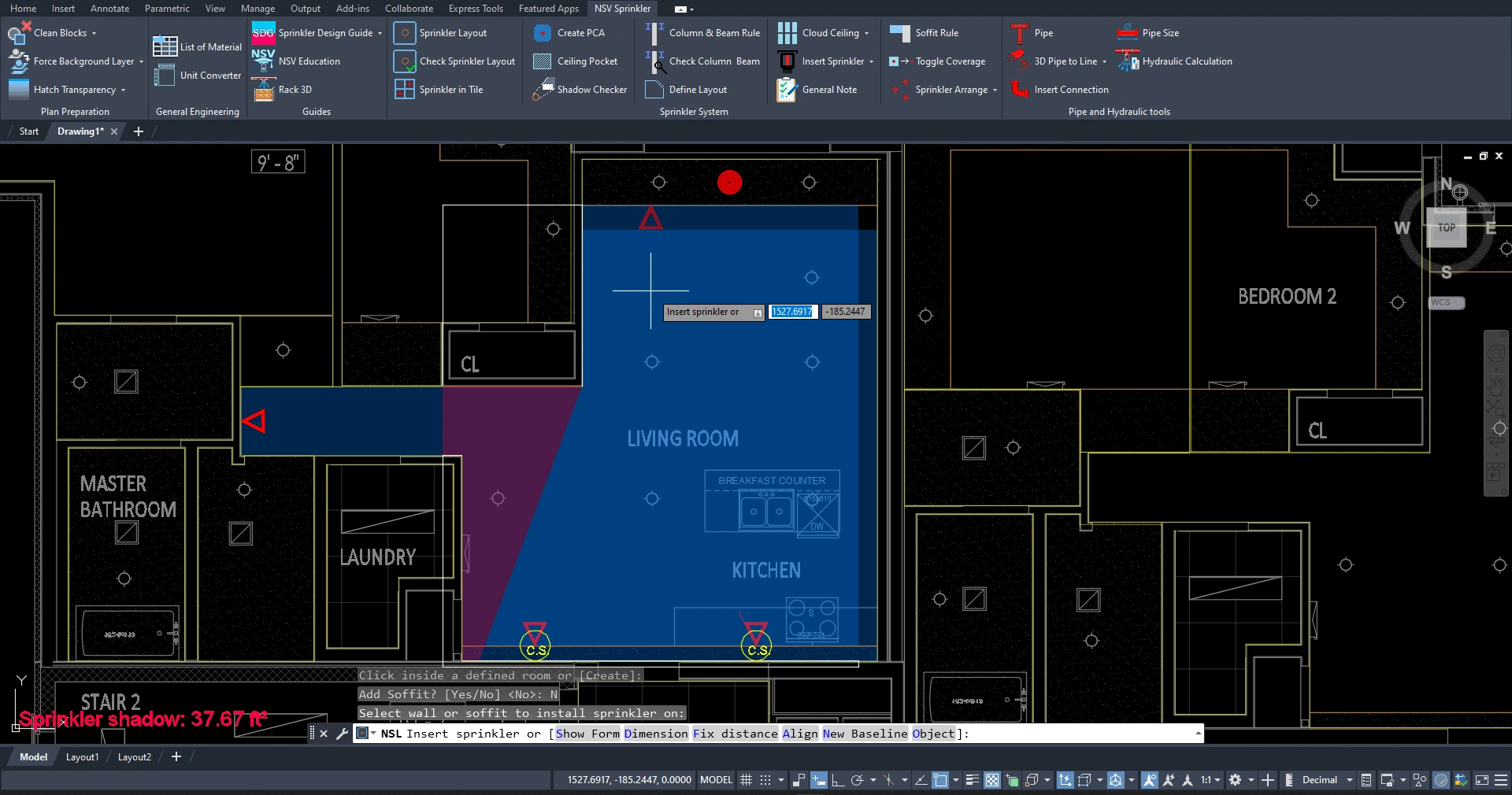
Includes practical applications that assist designers with sprinkler placement based on NFPA 13, NFPA 13R, and NFPA 13D requirements. It also supports sprinkler layout in ceiling tiles and other common architectural conditions. In addition, the tool can visually display sprinkler shadow areas and coverage areas, helping designers evaluate spacing, obstructions, and code compliance more easily and accurately.

PCA & Ceiling Pocket Tools

This toolset helps designers visualize and verify key code criteria with ease. By selecting the standard and sprinkler type, users can instantly generate a visual PCA to better understand protection requirements. It also checks rooms for ceiling pocket conditions, helping designers quickly determine whether the ceiling pocket rule applies and ensuring accurate, code-compliant sprinkler design.

Column & Beam Rule

This tool checks beam and column obstruction rules based on NFPA standards and helps designers evaluate sprinkler spacing more accurately. It visually displays sprinkler shadow areas and coverage areas, making it easier to identify obstructions, verify compliance, and optimize the sprinkler layout.

Piping & Hydraulic Design

This section allows designers to create complete piping layouts using different pipe schedules and material types, with the ability to change pipe sizes dynamically during the design process. It streamlines piping layout and hydraulic calculations, enabling fast and accurate results. The tool also supports placing hangers and various fittings, allowing users to generate and view a 3D representation of the piping system for better visualization and coordination.

Flexible Licensing Options

Our suite is built modularly. Purchase the full package or select individual modules to fit your exact engineering needs.