This document is a resource for users of the NSVCad Sprinkler Module.
It provides a list of commands and their functions.
By familiarizing yourself with these commands, you can effectively navigate the software, utilize its features, and streamline your fire sprinkler design process.
Whether you’re a seasoned professional or just starting out, this reference guide will empower you
to harness the full potential of the NSVCad Sprinkler Module.

Clean Blocks
Command: NCB
Description: Selects similar blocks and removes them from the drawing.
Clean Nested Blocks
Command: NCNB
Description: Removes extra blocks nested in other blocks.
Edit Nested Block
Command: NENB
Description: Removes extra components from a block.
Force Background Layer
Command: NFBL
Description: Sets all components of a drawing to a specific layer.
Force Background Color
Command: NFBC
Description: Sets all components of a drawing to a specific color.
Retrieve Background Color/Layer
Command: NRB
Description: Retrieves or changes a block color after running force background color/layer app.
Force Lineweight
Command: NFL
Description: Sets Line weight, Thickness, and Global width of line and polyline objects to zero.
Hatch Transparency
Command: NHAT
Description: Sets a hatch transparency for all hatch objects
Trim Gridline
Command: NTG
Description: Trims grid lines of a drawing from one side.
Z Remove
Command: NZR
Description: Removes the Z value of objects even in block references.
Ceiling Hatch Code
Command: NCH
Description: Assists in noting the hatch’s elevation of ceilings or soffits.
List of Material
Command: NLOM
Description: Provides a list of materials.
Unit Converter
Command: NCV
Description: Converts length and area units in metric and imperial.
Sprinkler Design Guide
Command: NSDG
Description: Provides design criteria for Sprinkler systems in accordance with the NFPA13, 2016.
Foam Design Guide
Command: NFDG
Description: Provides design criteria for Sprinkler systems in accordance with the NFPA13, 2016.
Occupancy Requirements
Command: NOR
Description: Provides NFPA requirements based on the occupancies.
Sprinkler Layout
Command: NSL
Description: Assists user to locate sprinklers in compliance with NFPA 13, 13R, and 13D.
Sprinkler Arrange
Command: NSA
Description: Locates sprinklers uniformly.
Sprinkler In Tile
Command: NSIT
Description: Assists in locating the sprinkler in the center of the tiles.
Toggle Coverage
Command: NTSC
Description: Toggles the coverage of sprinklers.
Find ACA
Command: NAC
Description: Calculates the Actual Coverage of Sprinklers.
Create PCA
Command: NPC
Description: Inserts sprinkler with Potential Coverage Area.
Define Layout
Command: NLD
Description: Defines the walls and soffits.
Beam & Column Rule
Command: NBC
Description: Applies the beam rule and creates the column’s shadow based on the Three or Four times rules.
Shadow Checker
Command: NSHR
Description: Shows the shadow area of a sprinkler.
Soffit Rule
Command: NSR
Description: Assists in finding the minimum distance from soffits.
Cloud Ceiling
Command: NCC
Description: Provides the coverage area of sprinklers where the cloud ceiling rule is applicable.
Open Grid Ceiling
Command: NOG
Description: Checks whether the ceiling is open grid or not.
Slatted Ceiling
Command: NSC
Description: Checks whether a slatted ceiling can be considered an open grid.
Ceiling Pocket
Command: NCP
Description: Checks whether the ceiling pocket rule is applicable or not.
Pipe Size
Command: NPS
Description: Notes the size of the pipes.
Pipe
Command: NPI
Description: Assists in drawing branch lines and cross mains with a thick visual line.
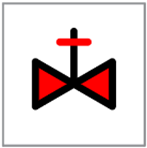
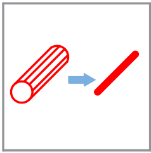
3D Pipe to Line
Command: NPLN
Description: Converts 3D pipes created by Autosprink into a single line.
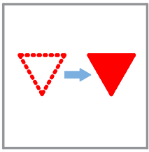
Break Pipe
Command: NBP
Description: Breaks the visual crossing pipe over other pipes.
Sprinkler LOM
Command: NSLOM
Description: Provides a table containing the types and quantity of sprinklers in the layout.
Insert Sprinkler
Command: NIS
Description: Inserts different types of sprinkler symbols.
Insert Device
Command: NID
Description: Inserts the symbol of the valve or device into the CAD as per NFPA 170.
Replace Sprinkler Block
Command: NRSB
Description: Replaces block symbols with the selected symbol.
Insert Node
Command: NIN
Description: Insets hydraulic calculations nodes.
General Note
Command: NGN
Description: Provides general notes on the drawing.